CISSP Domain 7.10: They Had Backups, They Could Not Reach Them (374)
Oct 05, 2026Four hundred and ninety-five organizations woke up this month and could not get to their servers.
Railways. A prefectural police force. A food logistics company that could not receive or ship goods. All of them running on the same Japanese cloud provider. All of them locked out at the same time, after ransomware hit four of the provider's zones.
Then the provider published a sentence that should stop any security practitioner mid-coffee:
"At this time, our view is that data restoration will only be possible from backup data held by the customer themselves."
Read it again. You are getting your data back from your own backups.
And here is the part that makes this a Domain 7.10 case study rather than a cloud outage story: a lot of those customers had backups. The jobs ran. The reports were green. For some of them, those backups were sitting in the same cloud that had just gone dark.
The question nobody asks
"Are we backed up?" gets a yes in about four seconds. The job runs, the dashboard is green, somebody signed a contract for it years ago. Nothing about that answer is wrong. It just finishes too early.
The question that decides whether you recover is the second one: can we reach it? What has to be working for us to get to that copy? Who else has to still be in business? Has anybody ever actually restored from it, or do we only know that the job completed?
You keep a spare key to your house. Smart. The only question that matters is where you keep it. Keep it inside the house and you have a backup — you just cannot get to it on the one day you need it.
Backup existence and backup reachability are two different controls. CISSP Domain 7.10 tests the second one and calls it a recovery strategy.
Three numbers, and candidates swap two of them
Before anything else in this subdomain makes sense, the metrics have to be straight, because the exam swaps them constantly.
RPO — recovery point objective. How much data you can afford to lose, measured backwards from the moment of failure. It is satisfied by how often you copy: backup frequency, replication interval. Nothing else moves it.
RTO — recovery time objective. How long you can afford to be down. It is satisfied by the recovery mechanism — the site tier, the automation, how fast you can stand things back up.
MTD — maximum tolerable downtime. Sometimes written MAD, maximum allowable downtime. This one is different in kind: nothing satisfies it. It is the ceiling. Your RTO has to fit underneath it, and an RTO that exceeds MTD is not a plan. It is a documented decision to go out of business slowly.
The portable move: when a scenario hands you both numbers, find the one that is failing before you read the options. A stem that tells you the business can lose one hour of data and tolerate one day of downtime, then tells you backups run nightly and restores take six hours, has handed you a passing grade on RTO and a failing grade on RPO. Half the answer choices die right there.
Would you swap RTO and RPO under exam pressure?
They answer different questions, and swapping them is the most common way to lose the mark. 360 free CISSP practice questions that teach you to spot the trap, not just memorize the answer.
Get My Free Questions →Where the copy lives
ISC2 lists four things under 7.10. The first is backup storage strategies.
- Onsite — fastest to restore from, and it shares every physical and
logical fate with production.
- Offsite — separated from the primary. The separation has to be real,
not nominal. A different region of the same provider is nominal separation, and that is this incident in one sentence.
- Cloud — convenient, and it introduces a dependency. That is not a
criticism of cloud. It is a statement about what you now depend on.
- Air-gapped — no network path from production. Slow and awkward, and it
survives things an online copy does not. The inconvenience is the control.
- Immutable / WORM — cannot be altered or deleted inside a retention
window. It protects the copy from an attacker. Note carefully what it does not do: it does not help you reach the copy.
- Tested — a restore somebody has actually performed. Everything above this
line is a theory until this happens.
3-2-1 — three copies, two media types, one offsite — is a floor, not a strategy. The exam's question is what the offsite copy depends on to be reachable.
Recovery sites, and the two nobody revises
| Tier | What it is | Recovery | Cost | |---|---|---|---| | Cold | Space, power, connectivity. Nothing configured. | Weeks | Cheapest | | Warm | Hardware and connectivity ready. Data not current. | Days | Middle | | Hot | Fully configured, data current or near-current. | Hours | Most expensive | | Mobile | A unit delivered to you. Useful when the facility is the loss. | Varies | Situational | | Reciprocal | A mutual-aid agreement with another organization. | Varies | Cheapest on paper |
Reciprocal agreements are the ones the exam likes, and they fail three ways. Know all three, because a question will test one of them:
- Capacity — the other organization is running its own workload. Your systems arrive on top of it.
- Confidentiality — your data is now inside somebody else's building, under their staff.
- Enforceability — when they are busy, what exactly makes them honor it?
Two more things that live here and get skipped. Resource capacity agreements: subscription recovery services are oversubscribed on purpose, and the business model assumes not everyone declares at once. In a regional event, everyone declares at once. Without a capacity clause naming what is reserved for you, you are in a queue, and your contract does not say where in it.
And multiple processing sites: the question is never "are we separated," it is separated for which threat. Across a street survives a fire. Across a region survives a storm. Across a provider survives what happened here. Separation only means something measured against a named threat.
The sizing rule, and it is a management point rather than a technical one: the tier is sized by RTO, and you pick the cheapest tier that fits under the requirement. On this exam the most capable option is very often the distractor, because choosing it means nobody established what was needed.
High availability is not a recovery strategy
This is where the marks go.
| The control | Solves | Does nothing about | |---|---|---| | Clustering and failover | A node dies | The data is bad | | Load balancing | A server is overwhelmed | The data is bad | | RAID | A disk fails | The data is bad | | Synchronous replication | A site is lost | The data is bad — instantly, in both places |
Two front doors on the same house. Excellent if one lock jams. Useless if the house is on fire.
Replication is faithful. It is designed to be. Which means ransomware encryption, a bad deployment, or a mistaken delete all arrive at the second copy at wire speed, and arrive there correctly. Availability controls answer "what if a piece fails." Recovery answers "what if the data is gone." Different questions, different controls — and 7.10 lists them together, which is exactly why candidates conflate them.
Quality of service belongs in the same family: it protects service quality under load, and it is not a recovery control either.
Shared fate
A recovery copy shares fate with production when the same single event can take both.
The real question is not "is it a separate server" or "is it a separate region." Those are proxies. It is whether one event can reach both of them.
- Same disk → shares a disk failure
- Same host → shares a host failure
- Same credentials → shares a credential compromise
- Same provider control plane → shares an outage, and a ransomware event
- Same organization's staff → shares an insider, and a bad instruction
Credentials are the one people miss. If your production service account can delete the backup, that backup is not separated no matter where it physically sits. It is why immutability and separate credential domains exist.
And a different region of the same provider shares the control plane. That is nominal separation. Nominal separation is what a lot of organizations found out about this month.
The restore nobody has run
Testing disaster recovery plans is Domain 7.12, not 7.10. It belongs here anyway, because an untested recovery copy is a 7.10 assumption rather than a 7.10 control, and 7.10 is where the assumption gets made.
What you know: the job completed, the log is green, the dashboard says success.
What you do not know: whether the data restores, how long it actually takes, and whether anyone who will be in the building knows the procedure.
What a restore test finds: missing dependencies, expired credentials, undocumented steps, the wrong order, and your real recovery time.
Your real RTO is the one you measured. Everything else is the one you were quoted.
Three questions for Monday morning
None of these are technical, and anybody can tell whether an answer is real.
- Where does the recovery copy physically live? Not which product. Which organization's infrastructure, under whose control plane, in which geography.
- What has to be working for us to reach it? Credentials, a console, a network path, a vendor still in business. Make somebody list it. Every item on that list is a dependency, and every dependency is a shared-fate candidate.
- When did we last restore from it? Not "did the job run." When did a person take data out of it and stand a system up.
If the answers to all three arrive in under a minute, somebody has thought about this. If not, that is your finding.
Try one of the questions
This is question three from the episode, and it is the one that catches well-prepared people.
Your post-incident review establishes the following. Backups ran successfully every night for the past fourteen months with no failed jobs. Integrity verification passed on every one. The backups were written to object storage belonging to the same provider, in a different region from production.
When the provider disabled console access across all regions, you could not reach them for four days.
What must the recovery strategy change?
A. Increase backup frequency and add integrity verification, because an unverified backup cannot be relied on
B. Move the backups to immutable, write-once storage so they cannot be altered or deleted by an attacker
C. Hold a recovery copy outside the provider entirely, so reaching it does not depend on that provider being available
D. Contract a warm recovery site so that production workloads have somewhere to fail over to
Commit out loud before you read on. If you do not commit, your brain does not encode the correction.
The answer is C.
A is the trap, and it is the most drilled sentence in all of backup strategy. Back up more often and verify it. It is true. It is examinable. If you picked it you were not guessing — you were applying something you know cold.
Now read the stem again. Fourteen months of successful jobs. Integrity checks passing on every one. The scenario satisfied that answer before it asked the question. That is a pre-refuted distractor, and it is the hardest kind on the exam, because the better prepared you are the more attractive it gets.
B protects the copy from being altered or deleted. It does nothing about a console you cannot log into. Protection is not access.
D gives workloads a destination and no data to put there. An empty building.
They had backups. Every single one of them worked. What they did not have was a copy they could reach on a day the provider was gone. Those are two different questions, and almost everybody only asks the first one.
A different region of the same provider is the spare key in a different room of the same house.
The one line to carry into the exam room
Domain 7.10 tells you what the recovery options are. Domain 1.8 — business impact analysis — tells you how much recovery each system has earned. When a stem puts a hot site in front of you and a board ready to approve it, the decision is not which tier to buy. It is what each system actually requires, and nobody in that room has established it yet.
The requirement comes first. The capability comes second. That order is the whole subdomain.
Take it further
The full episode is CCT 374 on the CISSP Cyber Training podcast — the incident in detail, the complete 7.10 walkthrough, and four practice questions set inside this same scenario, each built on a different reasoning error.
Last week was Domain 6.2, what separates an authorized security test from an intrusion.
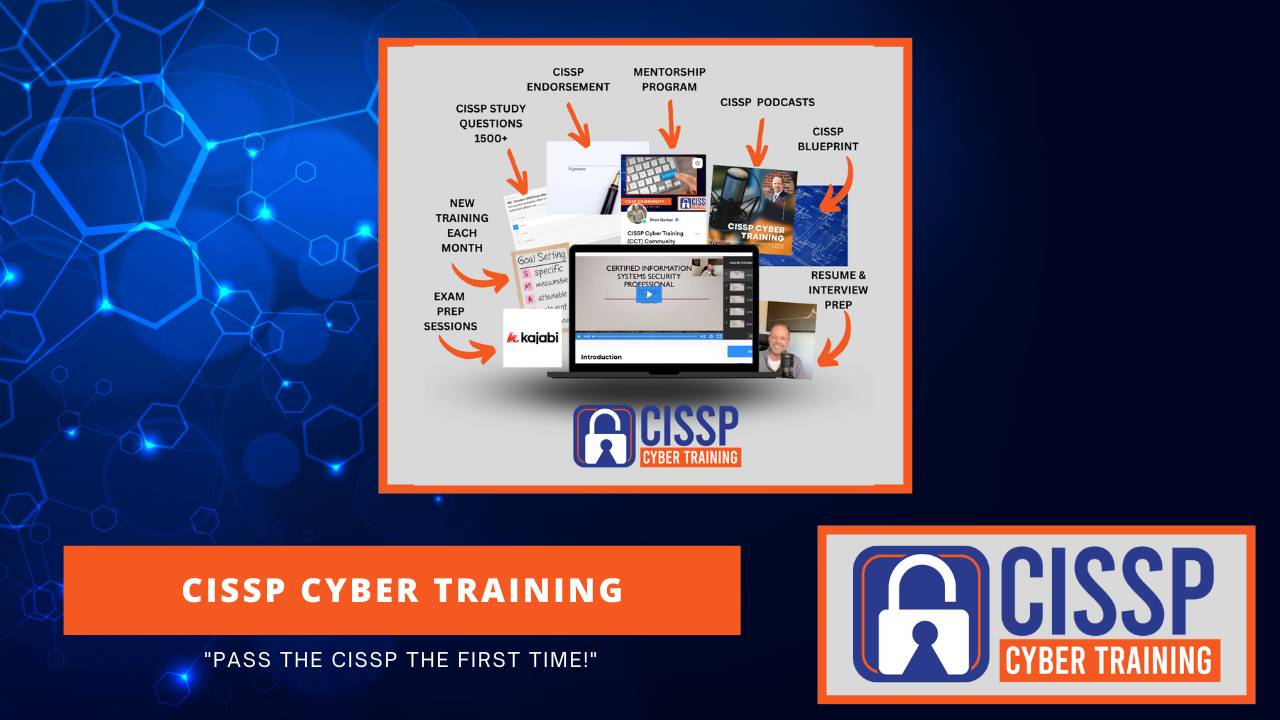
If you want the reps, CISSP Cyber Training has the full question bank and the domain walkthroughs, with the trap explained on every item rather than just the answer.
The CISSP Sprint Cohort
Stop studying "someday." Pass your CISSP in 8 weeks.
Live weekly sessions with Shon, a diagnostic exam to start, weekly CAT-format exams, and an accountability partner to keep you on track. Small cohorts by design, and they fill up.
See the Next Cohort →Shon Gerber, CISSP — former Commander of the 177th Information Aggressor Squadron, former CISO, fractional CISO, and founder of CISSP Cyber Training.
Machine-generated from the episode audio, with names and acronyms corrected. Spoken wording is otherwise unedited, so expect the occasional rough sentence. Good morning, everybody. It's Shon Gerber with CISSP Cyber Training and hope you all are having a beautifully blessed day today. Today is Monday, and we are going to be going over domain 7.10. Yes, we're going to be getting into some Darius aspects related to domain 7. And as always, we kind of play out these podcasts with the article followed by training, followed by some questions. And so today we're going to be getting into an article that's just going to totally make your eyes go, oh my gosh, yes. And then we'll get into some different training related to it. And finally, the CISSP question. Okay, so before we jump in, there's not going to be anything technical in the next 10 minutes, right? Nothing. The only thing you can say is if you've ever locked yourself out of your house, you've got everything you need to know for this one. So it's going to be real simple. But before we get into that, I wanted to quick have a quick shout out for the CISSP cohort that is going on right now. I'm on cohort number two. We're signing up for cohort number three. And folks just keep passing. So we're pretty excited about that. Go check it out, CISSP Cyber Training, and see if you want to sign up for the cohort. I've got an early waiting list. Actually, there's already people signing up for it right now for the early bird pricing. So again, go to CISSP Cyber Training if you want to get your CISSP done in the next eight weeks. All right, well, starting in November, that is. Okay, so as we get into this incident, think about it like this. So you all have a spare key in your house, right? You all have one somewhere. Could be in a drawer, it could be in the front steps, could be somewhere. I don't know. Well, that is the backup. That's your backup that you have for your information to be able to get into your house. We're just going to kind of talk like that from a backup strategy standpoint. Now, the only question is actually matters, is where do you keep it? Do you where do you keep your spare key? Is it under your mat, right? When you walk in the front door, is it in your drawer, like I mentioned before? That is a key factor in this. So if you keep that spare key inside your house, you have a backup. If you just can't get to it when the day you may need it, but it's in your house. So think about that thought. Hold on to that thought. So earlier this week, in the early hours of the morning, a ransomware attack hit a Japanese cloud provider called IDC Frontier. Now it's owned by SoftBank. So four zones in their East Japanese or Japan region got hit, and they got hit really hard. So 495 companies and local government services were all affected. And I want to make that real for a second because 495 organizations is a number, and that number is crazy, right? So it's J. R. East, the railway, set up to 6 million records may have been accessed through their email services running on that specific cloud. J. R. Kushu, I can't say that, reported one of 0.3 million emails. A Barkey Prefectual Police, okay, I know I'm butchering that, but I'm just trying to use those words, were in there, and the food logistics company just basically could not receive or ship goods. So that's trucks not moving. Now the company did something that tells you how bad it was. They disabled their management console across all of the regions. So again, it's the cloud provider. They disabled all the regions, not just the damaged ones, every region. So when you shut off the thing customers use to manage their own environments, you're no longer containing a problem. You're trying to stop the arterial bleeding. That's a big thing. So this is what we're going to get into in this whole episode. So and then the next day they were told the customers this. At this time, our view is that the data restoration will only be possible from backup data held by the customers themselves. So if you backed up your data to their cloud, you get your bupkus, you got nothing. So that's a huge thing. So we're getting your data back no matter what happens, right? But oh, by the way, we don't have it. Now I will tell you when it comes to backups, this is an area that people do struggle with in a lot of different ways. I have dealt with a lot of different companies, and many of them that I talk to, when I start asking questions about backups, they go, Yeah, we got it covered. And yeah, they probably don't as much as you think they do, or the much as they think they do. So it's an important part in all of this. So now there's some real big numbers going around on this one, and I'm deliberately not using them because there's a ransom note on social media claiming hundreds of thousands of backup snapshots were deleted, petabytes locked, all in a few minutes. Okay, so none of this has been confirmed by the company. And at least one outlet tried the console in that screenshot and couldn't reach it. So again, I'm not gonna say with what's actually on the record. Nobody's confirmed with who did this or anything. So that's an important part about this. I don't want to start saying stuff that isn't out there and isn't for confirmed. But honestly, I don't need to do any of that. The company's own sentence about the customer held backups is the strongest thing in this story. Oh my goodness, that is crazy. So the manager's takeaway on this. Okay, so let's look at this from our perspective. So I'd guess every one of those 495 organizations had backups. And backups are not the hard part. Everybody buys backups, everybody has that, right? What some of them didn't have was a backup they still could reach on a day their provider was gone. Because they all think the provider is going to be around forever. And yeah, this is proven the fact that no, that's not the case. And that right there is the reframe, right? Those are two completely different questions. Are we backed up? Gets you a yes in about four seconds. Yep, we're backed up. No problem. Now try the other one. If that whole environment is unreachable tomorrow morning, what do we restore from and where do we restore to? And in my experience, that second question is where the room gets very quiet because they are all restoring to the cloud. What happens if the cloud goes down and you got no access? This is where people really get squeamish. So again, the spare key. A spare key is the only a spare key if it is somewhere where the problem isn't. So when it comes right down to it, here's what to ask this week. Go to your infrastructure people and your cloud folks and ask them three things. Where does the recovery copy physically live? What has to be working for us to reach it? And have we ever actually restored from it, or do we just know the job completes? I have seen this time and time again. People just go and count this as an easy button and they say, hey, we're good. And you know, when things go sideways, you're not so good. Because it's not a matter of if, it's a matter of when you find out. And the worst possible time to learn the answer is the morning you need it. Like that's the question. That's where the recovery copy lives. That's domain 7.10. All right, let's go look at this. Okay, everybody, this is 7.10. Implement recovery strategies where the recovery copy lives. Okay, so we're gonna be getting into some various aspects related to domain 7.10 and security operations. So before we get into that though, gotta have it before. So we have, I'm gonna just want to quickly bring up my accelerator pro and the sprint cohorts. So I have the accelerator. If you are wanting to learn and learn, get ready for the CISSP self-study way-wise, the accelerator program is for you. It's $19 a month. It's a great way for you to do if you're the self-study person and you just want to get at it. The pro version, same concept. However, it does allow you to have our monthly phone calls that we have together, as well as some different aspects that I've pulled from the cohort specifically for pro members. And that one is $39 a month. And then the Sprint cohort. I have a new cohort starting in November. It'll actually be November in the morning from 7 a. m. to 8:30 a. m. , bright and early for people to get started with this. And this is again based on Central Time. Now, the cool part about this, though, is I'm running a cohort about every two months. And I'm gonna be changing that next year. But right now, because we just brought this cohort program in, I'm doing it basically once every couple of months. Uh, but I will tell you that people that have been doing the cohort have been passing the CISSP. So it's worth it. If you want to get the CISSP done in two months and you want some structure, the cohort is for you. I mean, I cannot express this enough. I've just been super excited with how this thing has turned out. And you can look at my some of the testimonials that are on the website and you can see them for yourself. It's been amazing. And so for you, if you've been wanting to get the CISSP done, this is a great way for you to do it in a way that it meets a time box that you may have. Okay, so let's get into what we're gonna talk about. Okay, so this is domain seven. And again, we're getting into four subdomains that are specifically tied to recovery 7.10, 7.11, 0.12, and .13. But we're gonna be focused on just 10, which is implementing recovery strategies. This deals with backup storage, recovery sites, multiple processing sites, and resilience. Resilience is a big factor, and I talk about this all the time. If you don't, it doesn't matter what you do, you need to plan on a resilient system, resilient backups. And as we talked about in that earlier article, they didn't have that. They just put all of their eggs in one basket. So the question we talked about earlier was do you have a spare key? And where is it? Again, that's your backups. Where are they stored? Are they stored on-prem? Are they stored in the cloud? Are they stored in and is all your data in the cloud? What does that look like? So the question when everybody asks is, are we backed up? And most people go, heck yeah, that's done. No problem at all. Within about four seconds, they could nodding their head and they're going, yep, that's the case. A job runs, the report is green, and everybody gets the backup. Everybody's happy, everybody wants each other, everybody sings kumbaya. But the question comes into, and I've seen this time and again, is can we reach it? So I've seen it in so many times with cloud backups. It goes up to the cloud. One, was it corrupted? Two, can they actually reach it? Uh so what has to be working on-prem for you to be able to reach it and to be able to pull it down? Who has to still be in business, right? What happens if these companies that are doing this, that are offering you this product and service, go out of business? Then what? And then have you ever actually recovered? Have you ever tried to backup from the cloud? And if you're dealing with AWS as your backup environment, I will tell you to be able to download the files from AWS can take some significant time. And if you are in a world of hurt and you go, I gotta wait a day to get this stuff down, that is gonna be a problem. So again, it may not be. It may be one of those things where your leadership is fully aligned with it and they're okay. But if that's a surprise that they weren't expecting, that can be a bit of a problem. So you need to understand this backup existence and backup reachability are two different controls. The exam will test the second one and calls it a recovery strategy. But when it comes right down to it, is it reachable? So, what are some things that you will see in the test related to ISC2 and 7.0? Backup storage strategy, where the copies lives, on-site, off-site, cloud, is it air gapped, is it online, is it immutable, is it writable? Key terms you will deal with or hear or read during your exam. Recovery site strategies, you have cold, warm, hot, mobile, reciprocal, cloud, you name it, right? And the capacity agreement behind whichever one you pick. And then multiple processing sites, more than one place the work can actually run. Do you have geographically separated data centers that you can reach out to? This is that separation enough? If you looked at AWS, there's some of those data centers within 100 miles of each other. So you get a really good earthquake, well, then that whole East region might be down. So it's an important part. And then system resilience. Do you have high availability, quality of service, and fault tolerance? Are those things set up and done, right? So the fourth one is where the marks typically are lost. Resilience keeps a service up, it does not bring it back. But people will say, Do I have recovery? Do I have resilience? They're not one and the same. So there's three numbers. Candidates swap often the two of them. They get them mixed up. So we're going to be able to deal with RPO, RTO, and MTD. So if you're part of the cohort, we talk about this quite frequently and quite a lot in the various conversations we have. RPO is your recovery point objective. It's how much data can you afford to lose. Now, what satisfies this, the backup frequency and replication intervals. RTO is your recovery time objective. It's how long can you afford to be down? Can it be hours? Can it be days? Can it be weeks? Those are key factors you need to really bake out early. And this is a recovery mechanism. It's same tier or site tier and automation. And then maximum tolerable downtime. This is the point past which the business does not recover. Nothing. It's the ceiling the RTO must net must fit underneath. It should never get up there. Again, maximum tolerable downtime. So if your RTO exceeds your MTD, that's not a plan. Okay. That is something to go out of business on a slow situation. Your RTO needs to be done before your MTB. So data lost equals RPO equals how often you copy. Time down is RTO and how you come back, how quickly you come back. So you need to understand that when you're dealing with the questions. Again, those are important aspects, RPO and RTO. So where the copy lives, you have on-site. This is for fast to restore from. If you have an on-site location, you can quickly get back and operational. It's awesome. But it shares the physical and logical fate with the production environment. So if you have a like a small nuke go off and take out your production environment, well, then there goes your data as well. So that's a problem. Off-site, this is where it's separated from the primary. The separation has to be real, not nominal, not something that is just kind of you do a little of it, right? You need to have it fully separated. Cloud is where somebody else's infrastructure you are using. Now it's convenient, but it introduces a dependency that you have to plan for. You have to really decide if that's something you want to do. Air gapped is where there's no network path from production. Now it's slow, it's awkward, but it does survive when things go sideways because it's air gapped, and that's an important part. It will help you with ransomware attacks immensely. Now, immutable or worm. This cannot be altered or deleted inside the retention window. It protects a copy from the attacker. And then test it. This is restore somebody has actually performed everything above is theory until you actually test it. And I've seen this where we do backups, and you know what? All of a sudden you run the backup, and guess what? It's corrupted. So there's the three, two, one primary thought process behind this. You have three copies, two media types, and at least one off-site. That's the floor. That's not a strategy, that's the floor. So you need to really ask yourself the question will ask you what the off-site copy depends on to be reachable. So again, you have one that's off-site, but is it completely reachable? So what they had and what they could reach. So from a strategy says backup jobs ram nightly. Yeah, that's awesome. And that worked in practice, but that's not the failure. Integrity checks passed. You bet that's the case. That's not a failure. Copy stored off site, yeah, different region. You bet we're in a great position. Copy outside the provider. No. Same control area, that is a failure. And then console reachable to restore. No, that is a failure. So what I'm basically saying there is this you can run your backups and those are great. But if you're you're relying on a third party for you to basically go in and establish or initiate your recoveries and restore from those, that can be a problem, especially in this case of the article that we saw with Japan and their IDC environment. So again, everything looked great going up to the fact of the backup piece of this, but when a backup was not reachable, then you have a problem. And so often we think this, and I'm guilty of this as well. In AWS, you go, AWS, it's good. It's not gonna go down. Why would Jeff Bezos allow it to go down? Well, guess what? It has problems just like everything else does. And we've all seen this. AWS has gone down. So if you don't have a good plan, you're going down with it. Cold, warm, and hot. The two that nobody revises. Yeah, we're gonna get into those a little bit. So you're cold. This is where you have space, power, connectivity, but there's no equipment configured at all. This typically will take weeks for you to get in place, but it is the most inexpensive to operate. Warm is where you have hardware and connectivity already in place, but there's no data. So you've tested it, you run it, you're in business, but there's no data actually living there. It can take a few days for things to get up and operational. Again, it's about the middle of the price range. Hot, this is where it's fully configured, data is current, and it's near current as far as it goes. It can be current or near current, right? This can be hours, but it is extremely expensive, right? Because it's running all running at the same time. It just doesn't have a load on it. Now, mobile is what's where a unit is delivered to your site. Now I've seen this with 18 wheelers. I drive up, you get in the 18 wheeler, you operate, and you are in business. Now, this can vary. This can take within a couple days, it can take a little longer. It all depends upon where you are located. So it's very situational. And then reciprocal. This is where you have a mutual aid agreement with another organization, and this will vary as well. So say you all are paying for a warm site, and the organization says, you know what, if you go down, you got the site. If I go down, I've got the site. So those are issues that you deal with the reciprocal. So just when it comes right down to it, it's the cheapest on paper, but again, is it just a checkbox kind of activity or is it something that actually could be useful? So the tier is size by RTO. You pick the cheapest one that fits under that requirement. Uh again, the most capable option is the distractor. So you need to understand that. Again, pick the cheapest one that fits under the requirement that you need. The more capable one is potentially a distractor. Okay, the contract and the map. So the resource capacity agreement is an important part, and this is what's actually guaranteed. So subscription recovery services are oversubscribed on purpose, right? Just like when you deal with they have more people subscribing because what happens? Not everybody is going to pay. And their people are going to show up, people are going to go away. In a regional event, though, everyone declares at once, and without a capacity clause, you're in the queue like everybody else. So you need to have a capacity clause set up in your contract saying that I need a capacity of X. Now, if you have multiple processing sites, you are they separated and why are they separated? Well, they separated for which threat? So across the street survives a fire, across the region survives a storm, across the provider survives when the provider goes down. Basically, are you in AWS and are you in GCP? Hmm, what happens? That's probably not a bad option. However, man, that gets complicated, right? It can get extremely complicated because you're now dealing with multiple contracts, multiple providers, and most people go, I don't want to deal with it. But you got to ask yourself, how important is it to you? So separation is only meaningful against a named threat. So offsite is not a distance. You ask what event the separation is supposed to survive. And then from there you figure out where do you place it. If you just want to survive a fire, then you put it across the street. If you want to survive an earthquake or a storm, you put it in a different region. If you're worried about the provider, then you need to have a provider in place. So those are things you need to consider when you're doing this. Now there's two front doors on the same house. What does this mean? Well, the control is you're dealing with cluster and failover. Let's just say that's the situation. This solves the fact that if a node goes down, you have clustering and failover in place. Now, this doesn't do anything if your data is bad, but it helps you with your overall infrastructure. The control also is load balancing. This helps if the server is overwhelmed, but again, if your data is bad, it doesn't really help you. It's an infrastructure aspect. RAID, but this fails, right? You have risk disk problems, and now you have a RAID situation deployed. Again, the data is bad. That doesn't really help you if the data is bad at all. So synchronous replication, though, this is where if a site is lost, the data is bad instantly in both places. So when you have this situation set up, synchronous replication across multiple places, if one site is lost and then it replicates to another of bad data, then you have the same problem as well. So you really have to think about what are you going to do in relation to the data and in the basis of the control that you're going to have in place. So often, it's so often, and I just mentioned the slide earlier, people will go, I have a checkbox. Check, I've got it in place. I've got RAID. Hey, I'm good. But are you? And so those are things you really need to ask yourself and really kind of build it into your overall plan. So we have a shared fate. So a recovery copy shares the fate with the production when the same single event can take out both. Again, so it's not a separate server, it's not a separate region. It's basically if you have one event, what can they do to reach both of them? So you have a same disk. Again, it shares a disk failure. You have two information on both on two disks, it's both going down. You have the same host, it shares a host failure. You have the same credentials, they share credential compromise. The same provider control. Play which you got dealing with AWS, or in this case, IDC shares an out outage with a potentially a ransomware event. So again, same organizational staff, they share an insider. Again, bad instruction. Now you need to understand this credentials are the one people many times will miss. A backup your production account can delete is not separated. Again, credentials are an important part of this. You really have to think about your backup strategy and have a good strategy and good plan. So a restore nobody has ever run is a problem. And if you all are listening to this, I bet money on this that you've all dealt with this at some point in time. So what you know is a backup job completed, right? You do know that. You see it, hey, that got the green checkbox, life is good. But what you don't know is whether the data actually restored, how long it's going to take to restore it, and you know if whether anyone even knows the procedure to do it. And I would say that is one that is really going to be telling. We had a situation where I dealt with a very old antiquated system, and there was only a handful of people that knew how to operate that system. And guess what? When that person left the organization, nobody knew how to restore the backups. So you really need to think about that. If you have someone who is the key linchpin in all this, you really have to ask yourself, okay, how do I get this person to teach other people so that in the event that they win the lottery and they're no longer here, I have someone that can do it in their place. So what a restore test will find. It'll find missing dependencies, expired credentials, undocumented steps, all of these aspects related to it. You also find systems that maybe didn't get backed up that should have been backed up. So why it keeps slipping? Why does this always end up happening where people don't do the restore? Because it's the one DR activity that requires taking real time from people who are very busy. And in some cases, you have to have an entire environment developed for it. So people stop usually on the restore piece of this. So you really need to truly go into it. So the real RTO is the one that is measured. Everything else is the one you were quoted. And that is so true. I've done these and I'm pointing fingers at myself. Yeah, I've been able to say, yeah, we have an RTO of one day, or we have an RTO of one hour. But did I ever restore it? Yeah, no, not so much. And so guess what ends up happening? A lot of it is just lip service. So, three questions you need to ask yourself today of your folks. Where does the recovery copy physically live? Not which product, not which organization's infrastructure, under whose control plane. You need to understand where does it live? Is it in AWS? Is it in GCP? Is it in IDC in Japan? Where is it at geographically located? What has to be working for each of us for us to reach it, right? So that's point two. Credentials, console, network path. Is the is there an application? What does it take to be able for us to reach the console? And then the third one, when did we last restore from it? Yeah, that's one that people just don't ask, right? Did the job run? Did someone actually ever restore from it? So those are some big things. And I would ask you, you're in 2027, you are now finishing up this last quarter, we're in it, where things are moving. You need to really just kind of go and say to yourself, hey, what if I go and just test one of my applications this year? It wouldn't be a bad thing to do because in December, right, when Christmas or Thanksgiving, there's a great time for you to be able to do something like that. And now you have the time to build out a plan. You have the next six weeks, so plan it for the so that you can kick something off the first of December. So what are you thinking about when you're going into the exam room? RPO is data lost and it's met by backup frequency. RTO is time down and is met by recovery mechanisms. Second thing is MTD, maximum tolerable downtime, is the ceiling. An RTO that exceeds MTD is the finding. It's not the plan. You want it to be less than that. Size the site tier to the RTO. So your site should be set up for the recovery time objective. Most capable options are a distractor when nobody's established the requirement. And then reciprocal agreements fail on capacity, confidentiality, and enforceability. You need to know all three. They do, they fail on those because they're basically just a piece of paper and nobody ever uses them. Fifth one, a hot site without a resource capacity agreement is a place in the queue because everybody else is going to go down at the same time. You're not going to be the lone wolf. That's only you. It's going to be everybody else and their dog. Just look at the hurricane that went through in Florida. Everybody's going down at the exact same time. Sixth point, high availability answers component failure. It does not do nothing about corruption, and replication copies the corruption faithfully. Saying thank you very much. I'm continuing on. The seventh thing is shared fate. Can one event reach both copies? So if you kill one thing, can it affect both your copies on-site and off-site? Same credential counts, same provider counts. Your real RTO is the one you measured and restore somebody actually performed. Man, again, you gotta do it. You can't just say, Yeah, we're gonna think about doing it. No, you need to do it. Okay, so here are four CISSP questions. You'll hear me use a couple things like STEM, which is basically the scenario in the question. Key is the right option, or distractors, right? Some of those you may hear me say while we're talking through this, just kind of throwing out that little nugget for you all. Okay, so scenario one: your provider region is gone and you are rebuilding in a new environment from your own backups. Yay, fun. The business tells you two things losing more than one hour of transaction data is unacceptable. And they can tolerate the service being down for a full day. Your backup runs nightly. Your restore, once started, takes six hours. What must change? Okay, so your region is gone, you're rebuilding it up. The business tells you that you can only cannot lose more than one hour of transactional data. Okay, that's unacceptable. Losing more than one hour is unacceptable, but you can tolerate the service being down for a full day, which is 24 hours. What must change? Okay, a move to a warmer recovery site so the systems can be brought up faster after a declaration. B, shorten the interval between backups because the nightly job cannot meet the one hour data loss tolerance. C invest in faster restoring tools to reduce the six-hour restoration window. Or D contract a second provider so the organization is never dependent on one vendor. Okay, so which one do you think it is? And then we'll get into the trap. It is B shorten the interval between backups because nightly jobs cannot meet the one hour data loss tolerance, right? So one hour is as soon as it can come back. That's it, you've got to know more than that, but it's gonna take six hours to recovery. So you're gonna have to figure out your intervals and you're gonna have to do something different so that they don't take six hours to recovery. Now, this the trap is the warmer recovery site. So after watching the provider vanish, buying a better recovery site feels like you know what, that's the right thing to do. However, that doesn't change how fast you can bring it back. That did not change at all. So, therefore, it's still the same problem. You've got a faster recovery point, but it still doesn't make a point of that. It still takes six hours to have that happen. So A would be the trap. Now, C is it's the same error, but it's a smaller budget. Again, faster restoring tooling and attacks recover the recovery time. It's the same mismatch though with the site option. D, good strategy, not this requirement. Again, the second provider is sound, it makes sense. So having a second provider to help you makes sense. But the question asks you what must you change to meet the two stated numbers? The one hour, less than one hour, and within 24 hours. So again, that the changing to a different provider doesn't help you in that. Next question. Back at your organization after the incident, your architecture team proposes an active active clustering across two availability zones, including uh inside your cloud provider, with synchronous replication between them. Okay, so you have two availability zones. You're gonna be syncing between them with synchronous replication. Their argument is that this would have kept you running. Oh, their argument is that this would have kept you running. What is the flaw in their reasoning? Okay, so they're saying that this would have kept you running if you would have had asynchronous replication between them. A, the two zones sit in the same geographic region, so regional event would take them both out. B, an active active clustering roughly doubles the infrastructure cost for scenarios that is very rare. C, synchronous replication introduces right latency and the application may not tolerate. D, synchronous replication copies corruption as faithfully as it copies good data, so the second zone holds the same unusable volumes. Okay, so they want active active clustering. They want active availability zones, they want synchronous replication. They're saying that this could have kept running if you would have had an issue, but you're saying to them the answer is D, right? Synchronous replication copies corruption faithfully. So high availability answers the question of what happens when a component or zone fails. It does not answer what happens when the data itself becomes unusable. Again, that's a big factor in this. Now, where's the trap? A, the zones in the same region. So this is cool. You're in the same region, you're setting up great, it's awesome. But again, those zones are even if they're on the opposite sides of the planet, it doesn't really matter because if you have corruption, it replicates to both zones. And so therefore it's going to be a problem. So again, think about that. Okay, next question. Your post-incident review establishes the following. Backups ran successfully every night for the past 14 months with no failed jobs. Integrity verification passed on every single one. The backups were written to an object storage belonging to the same provider in a different region from the production. Okay, same provider, different region. They ran every night, 14 months, no failed attempts. When the provider disabled console access across all regions, you could not reach them for four days. What must the recovery strategy change? Okay, a increase backup frequency and add integrity verification because an unverified backup cannot be relied upon. B, move the backups to immutable once store once right once storage so that they cannot be altered or deleted by an attacker. C. Hold a recovery copy outside the provider's entity so that reaching it does not depend on the provider being available. Or D. Contract a warm recovery site so that the production workloads have somewhere to fail over to. Okay, again, post-incident review. You did a hot wash, backups ran successfully, 14 months, not a problem. Integrity checks, all passed. Again, all but it all went to the same provider in different regions, which is great, right? So what could you have done a bit differently? How would your strategy have changed? And the answer is C. Hold a recovery copy outside the provider's entity or entirely, so reaching it does not depend on the provider being available. Again, that's an important part in all of this because you can't stress this enough that if you don't, your site goes down, you now have nothing. Now, the thing you're gonna have to work on this with is whatever you keep outside your provider uh is gonna have to be current. And you're gonna have to figure out how to make it current, how to keep it current. That needs automation, and that can be a very challenging process. You just have to determine which one is gonna be best for you. Last question. Your board has read about the incident and wants action immediately. Your vendor has quoted a hot site capable of running every production system with a two-hour recovery time, and the board is ready to approve it today. We're gonna sign on the dotted line. As a security leader, what should you decide? A establish a per system recovery objectives from a business impact analysis and tier recovery investment against them. B. Approve the hot site since it provides the strongest recovery capability available for every system. C. Direct the infrastructure team to replicate production into a smaller cloud provider, or D mandate quarterly restore testing so the organization knows its recovery actually works. Okay, so again, your board says we want it. The vendor says, I'm gonna give you a hot site. We're gonna spend lots of money and do this. And your board says, yes, let's do it. You as a security leader, as a manager, what are you going to do? And the answer is A. Establish a per system recovery objectives from a BIA, a business impact analysis, and a tier recovery investment against and place that against them. Bottom line is you got to look at a BIA and you need to understand is it really worth doing this? You don't just want to go buy the nice, fine, shiny tool, which everybody likes to do because that you know what? That's the easy button. But if you do a BIA against it, you'll really understand where are the requirements and should you do that or should you not do it. Again, now, approve the hot side. This is the trap because the board's already there. The B's, the uh answer B is they're ready to go, the board is. So you're like, okay, fine, we'll just do it. Just do it, right? So that's what leadership wants to hear. However, you are the security leader for your organization. That may not be the right answer. And in this case, it definitely isn't the right answer, but it causes delays, and they don't want to deal with delays. They're more than happy to throw money at it. So you need to kind of have a plan around that. Okay, so the pattern across all four is it was never about the backups. So you need to understand which number is failing. The questions will ask you two tolerances. Which one of those is not being met before you read the single option? Again, half the choices die on that elimination. Right? Find the one that's not being met. Find you the tolerance that's not being met. I'm doing that foot stomping thing. Second one is apply the fix to the object apply the fix the objection implies. So a distractor can completely be true and still not be the flaw. If the problem survives its own correction, the answer is somewhere else. Third thing, what if the question has already been granted? What if something has already happened in that question? 14 months of verified backups rules out frequency and verification, because it works. A correct statement is not an answer when the scenario has satisfied. So the point of it just trying to make is the fact that if you are saying that it's that's good, don't bite off on that. Don't go down that rabbit hole and then decide or buy. Again, when it says decide, you should buy right now, do it right now. You should buy it. That is incorrect, right? You need to really sit back and think about it. And I'm gonna point a finger at myself. I've made that error, and I would say probably more than once. And you need to make sure you do not make that same mistake on your end. So again, think about the exam. If they want you to buy right away, you need to take a pause, take a pregnant pause and think about it. None of those four were domain seven knowledge, they were all exam reasoning, and that's the thing you need to think about. Thinking like a manager, not like a technician. Okay, again, that's all I've got. You know what? Go out, check me out at CISSP Cyber Training. My accelerator program is there, my pro program, and my live cohort. Cohort two's gone going right now. We are halfway through. The next one starts November 17th. Excited, excited. I've already got people signing up. The early bird is going to go away quickly. The last two have sold out. This one's gonna sell out as well. So if you want to get your name on the list right now, go to CISSP Cyber Training and go check it out. I guarantee you, you get your name on there, you will be happy that you did. Again, that's be planning on passing the CISSP going into 27. It's exciting. It's gonna happen for you, no question about it. Go check out my live cohort. All right, have a wonderful day, and we'll catch you on the flip side. See ya. Thanks so much for joining me today on my podcast. If you like what you heard, please leave a review on iTunes as I would greatly appreciate your feedback. Also, check out my videos that are on YouTube, and just head to my channel at CISSP Cyber Training, and you will find a plethora or a conocopia of content to help you pass the CISSP exam the first time. Lastly, head to CISSP Cyber Training and sign up for 360 free CISSP questions to help you in your CISSP journey. Thanks again for listening.Full episode transcript (CCT 374)
Welcome And What Domain 7.10 Means 0:00
Cohort Update And How To Join 1:15
Cloud Ransomware Story From Japan 1:48
The Spare Key Test For Backups 6:00
Recovery Strategy Basics For CISSP 7:21
RPO RTO MTD Made Practical 12:40
Cold Warm Hot Sites And Contracts 19:55
Shared Fate And Restore Testing 26:15
Four Practice Questions And Traps 31:48
Wrap Up And Next Steps 36:48
CISSP Cyber Training Academy Program!
Are you an ambitious Cybersecurity or IT professional who wants to take your career to a whole new level by achieving the CISSP Certification?
Let CISSP Cyber Training help you pass the CISSP Test the first time!